Ecommerce Profit Pulse · Setup
Install it on Windows
About a minute, start to finish, and no admin rights needed — it installs for your user only. One screen in the middle looks alarming and is not; it has its own step below, with a screenshot of exactly what you will see.
64-bit
About a minute no admin
There is a 59-second video of all of this if you would rather watch it. Every step is written out here too, so neither one is the only way in.
Download and run
One file, about 1.8 MB. Your browser will save it to Downloads; open it from there or from the download bar at the bottom of the window.
-
1
Get the installer
The download is on the home page, and it is the same file whether or not you have bought a licence — without a key the app opens the demo report and nothing else. Double-click it when it lands.
-
2
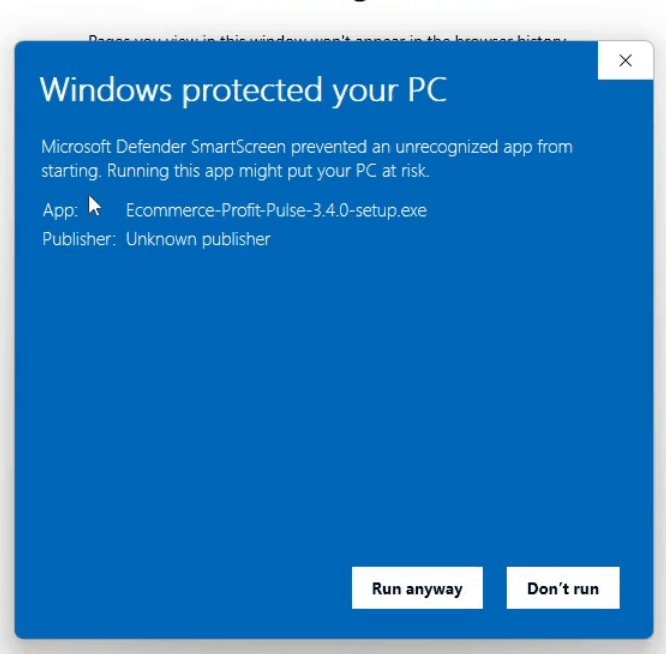
Windows will say “Windows protected your PC”
Click More info, then Run anyway. This is not a virus warning and it says nothing about what is in the file. Windows shows it for every installer it has not seen before from a publisher who has not bought a code-signing certificate, which costs a few hundred dollars a year. Publisher: Unknown publisher is exactly what you should expect to see here.
 Click to enlarge
 -
3
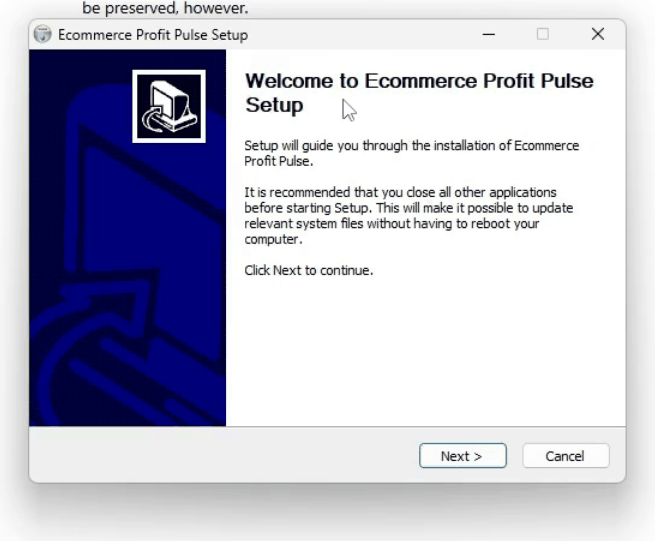
Setup opens — click Next
Nothing to choose and nothing to configure. It installs for your user account, so Windows does not ask for an administrator password.
 Click to enlarge
 -
4
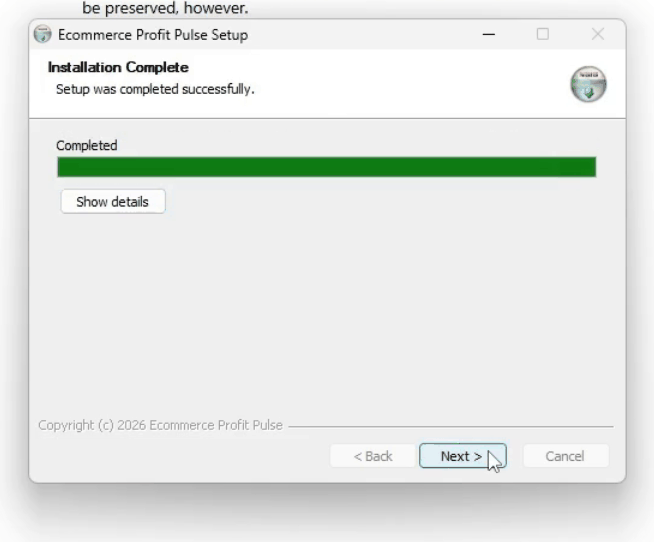
Installation Complete
A few seconds. Click Next and then Finish, and the app opens on its own.
 Click to enlarge
Activate it
Your licence key was emailed to the address you paid with, the moment the payment went through. Keep that email — it is what you need if you reinstall or move to another machine.
-
5
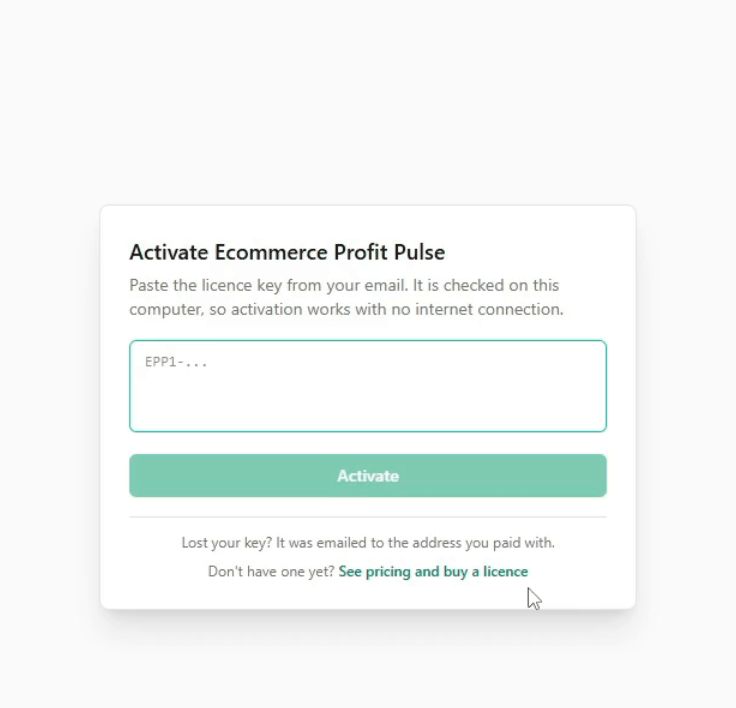
The app asks for a key
No account, no sign-up, no password. If you have not bought one yet, this screen also opens the demo report, so you can see a finished month before deciding.
 Click to enlarge
 -
6
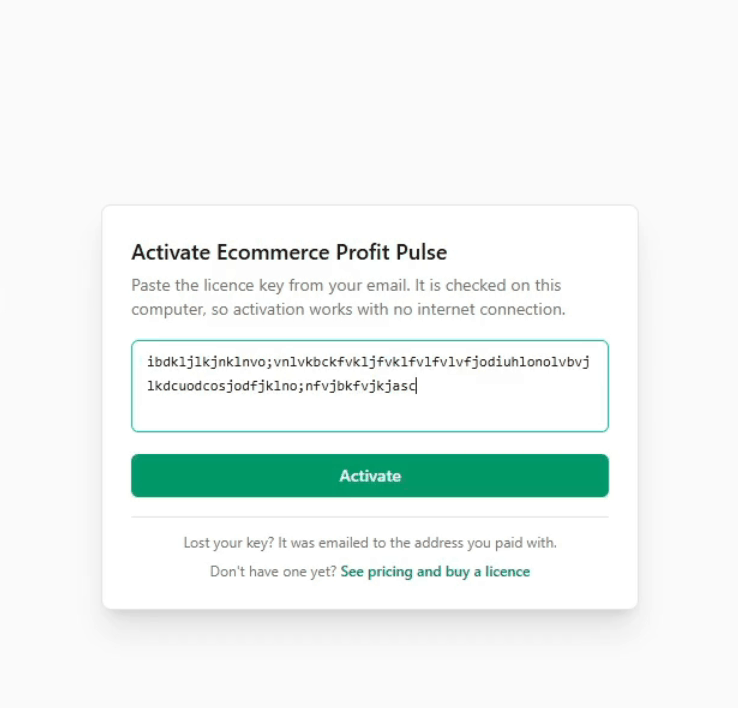
Paste the key and press Activate
The key is checked on your own computer, so activation works with no internet connection and nothing about your books is sent anywhere. Once it is in, you are not asked again on this machine.
 Click to enlarge
What you should see
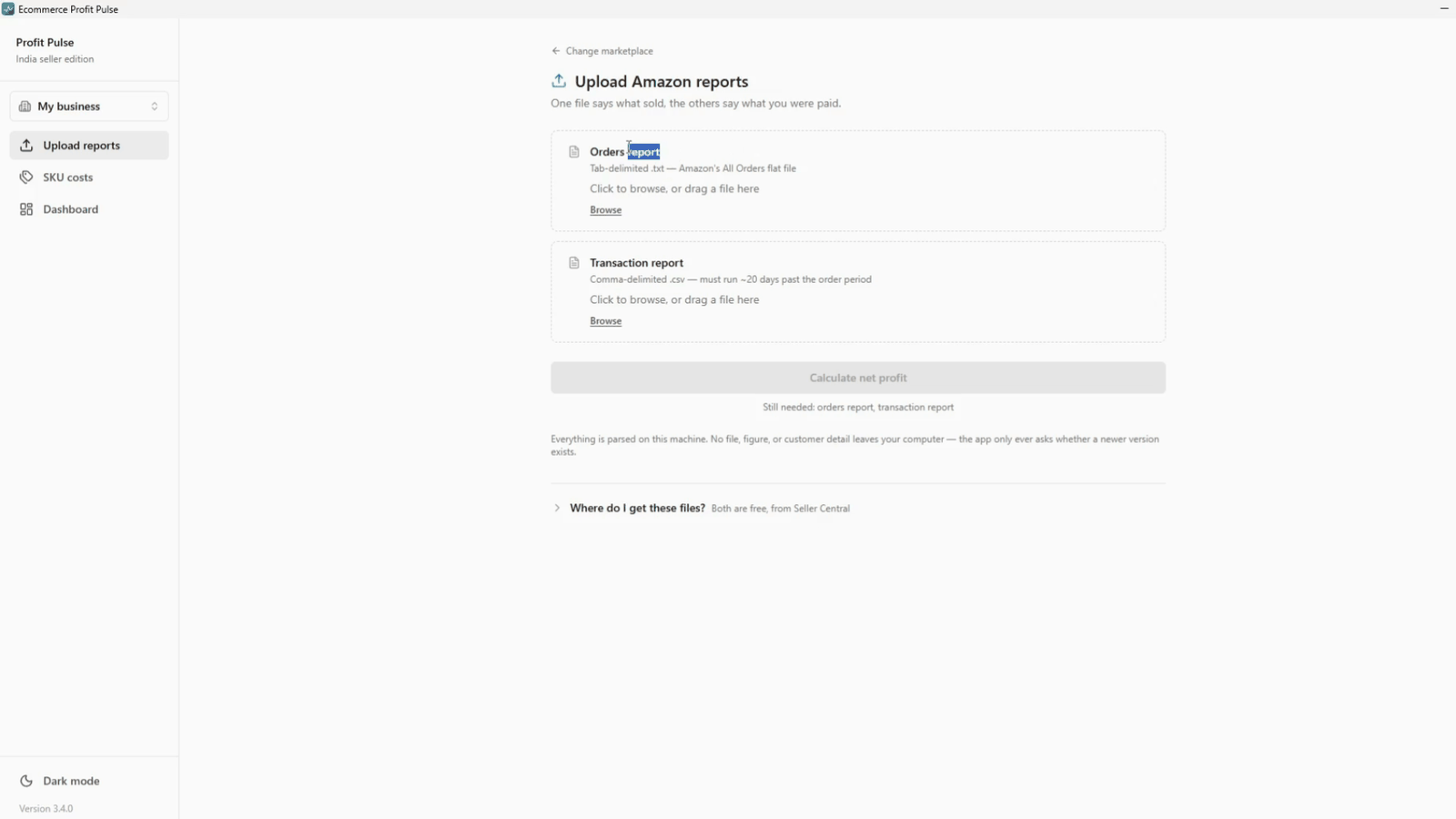
Then it looks like this.
Two empty slots waiting for the two Amazon reports. That is the whole app: drop the files in, enter your cost prices once, and read what you actually made.
 Click to enlarge
Next: the two reports
- Export them from Seller Central. Both are free and take about a minute each — the export guide shows every screen.
- Enter your cost prices once. What each unit costs you landed. Saved on your machine, not re-entered every month.
- Read the month. Net profit first, then the handful of things worth acting on.